AILoop Studio: AI Reels, Talking-Avatar Videos and YouTube Videos with Claude Code
A Claude Code skill that installs your own video studio: script, voiceover, kinetic reels, a lip-synced avatar, carousels and full YouTube videos, exported as MP4.
FreeGet it free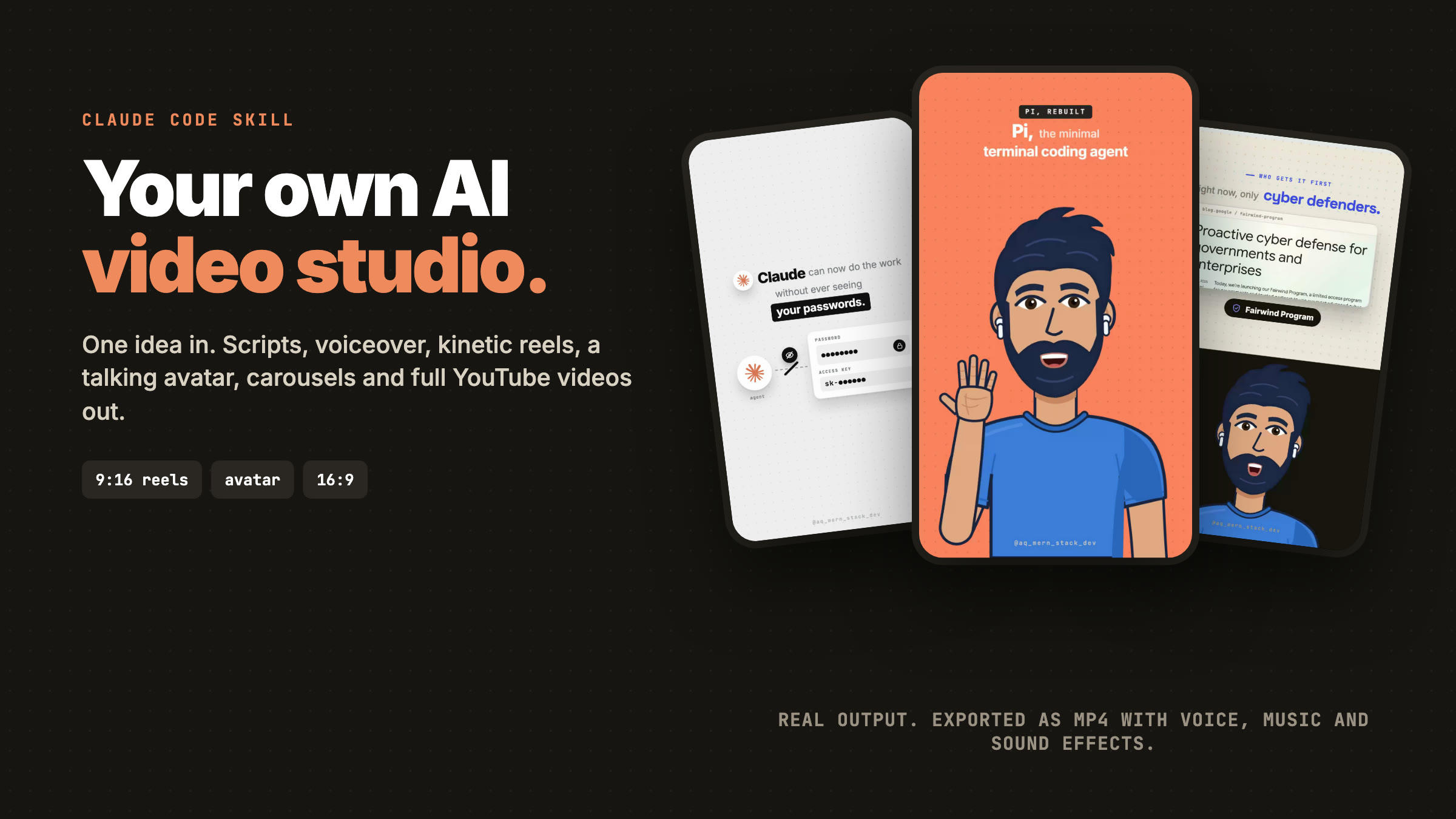
See what it makes
About this product
Your own AI video studio, in one sentence
Install the skill, open Claude Code in an empty folder and say "Set up AILoop Studio here." A few minutes later you have a local studio that turns a YouTube link, an article or your notes into finished videos.
Every video on this page was made with it, including the promo, which AILoop Studio made about itself.
What it makes
- Content pack. Three YouTube titles, a 60-90 second script, a description, an Instagram caption and tags. Claude also saves real screenshots and logos of everything the script mentions, so your videos show the real thing instead of stock art.
- Kinetic reels (9:16). Every word lands on screen exactly when it is spoken, driven by word-level timestamps. Real screenshots in shadow cards with slow zooms, logos that pop in on their names, whole-frame pan and blur cuts, sound effects on every beat.
- Talking-avatar reels (9:16). A presenter drawn in code that lip-syncs to your voiceover, gestures on the beats, and cuts between full-frame, split-screen and picture-in-picture, like an edited creator video. Prefer your own face? Upload a talking video and it takes the avatar's place.
- Full-length YouTube videos (16:9). The same reel rebuilt at 1280x720, avatar included, with a high-contrast thumbnail.
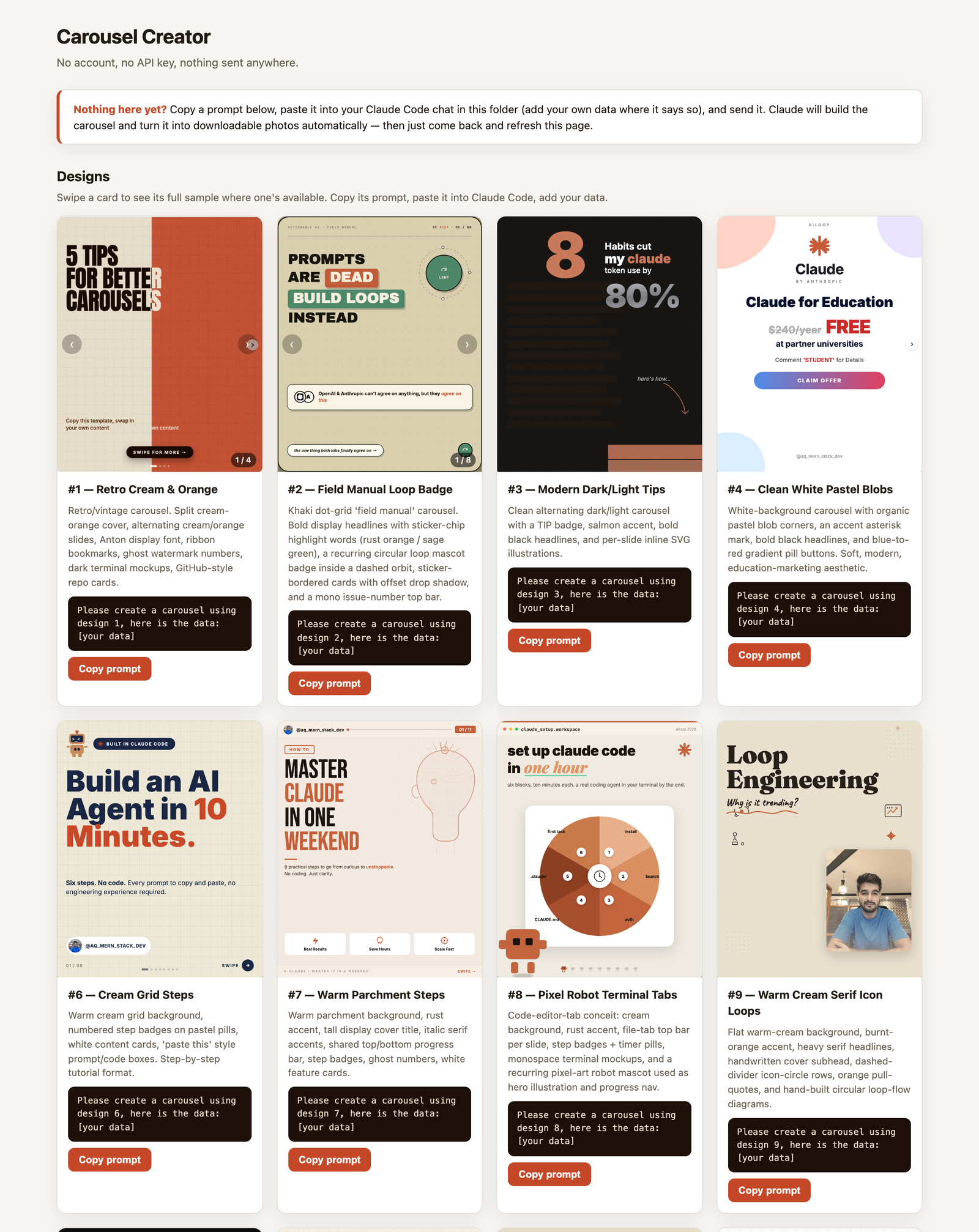
- Instagram carousels. 25+ designs, downloadable as HTML or a ZIP of PNG slides. Show it a sample carousel and it copies the style.
- Covers. Every reel and video gets its own cover image automatically.
How it works
- Content. Fetch a YouTube transcript in the studio (or paste notes into Claude Code). Claude writes the content pack.
- Voiceover. One click sends the script to ElevenLabs and returns the audio plus a timestamp for every word.
- Reel. Paste the timestamps into Claude Code. It builds the reel as an HTML animation timed to your voice, and you preview it in the studio.
- Export. One click records it as an MP4 with your voice, background music, sound effects and a cover frame. The export uses a frame-accurate sync marker, so cuts and lip-sync land exactly on the audio.
Why it is different
- It is a real tool, not a prompt pack. You get the full working studio: the web app, the avatar engine, the exporters and the 2,000-line playbook Claude follows to build every reel to the same standard.
- Real assets, not templates. Each reel is built from screenshots and logos of what you are actually talking about.
- Runs on your machine. Your keys live in your own
.envfile. Nothing is uploaded anywhere except the script you send to ElevenLabs. - Your brand everywhere. Set your channel name, handle and photo once; every reel, carousel and cover uses them.
What's included
- The complete studio: local web app, avatar engine, MP4 exporters and setup checklist
- Kinetic 9:16 reels timed to every word of your voiceover
- Talking-avatar reels with lip-sync, gestures and full / split / picture-in-picture shots
- Use your own talking video instead of the avatar
- Full-length 16:9 YouTube videos built from the same reel, with thumbnails
- Instagram carousels in 25+ designs, exported as PNG slides
- Scripts, titles, descriptions, captions and tags from any YouTube link or notes
- One-click ElevenLabs voiceover with word-level timestamps
- MP4 export with voice, music, sound effects and a cover, frame-accurate sync
- Your channel name, handle and photo applied to everything
- One-sentence setup inside Claude Code, plus free updates
Why you'll love it
- Ship a finished, professional reel in minutes instead of an afternoon in an editor
- Post consistently on Shorts, Reels, TikTok and YouTube from one script
- Look like an edited creator channel without hiring an editor or showing your face
- Keep your content private: everything runs and renders on your own machine
- Free: unlimited videos, no subscription, no watermark, no per-video fee
How to use
1. Install the skill (1 minute)
Log in (free), click Download Free on this page, unzip it, and run:
bash install.sh
This copies the skill to ~/.claude/skills/ailoop-studio.
2. Set up your studio (about 3 minutes)
Make an empty folder, open Claude Code in it, and say:
Set up AILoop Studio here
Claude checks your machine, installs everything, asks for your ElevenLabs key, voice ID, channel name and handle, and opens the studio at http://localhost:5050. The Setup button shows a green check for each requirement.
3. Make your first reel
In Claude Code, inside the studio folder:
Write the script for this video: https://youtube.com/watch?v=...
Then in the studio: Use in Voiceover, Generate Audio + Timestamps, Copy JSON. Paste the JSON back into Claude Code:
Here are the timestamps, build the reel.
Watch it in the Reel tab and click + Cover (Full Video) to export the finished MP4.
4. Everything else is one sentence
Build the avatar version of this reel.
Make the full-length video of this reel.
Make a carousel about the 5 best free AI tools.
What you need
- Claude Code (with a Claude subscription or API key)
- macOS or Linux (Windows works through WSL2)
- Python 3.10+ and FFmpeg (setup tells you if anything is missing)
- An ElevenLabs account for voiceovers (the free tier is enough to try it)
Questions
Is it really free? Why do I need to log in?
Yes, free. A free account lets us send you the download securely and tell you when updates ship. Sign up takes a few seconds.
What exactly do I get?
A zip containing the AILoop Studio skill. Run bash install.sh once, then tell Claude Code "Set up AILoop Studio here" in an empty folder. It installs the complete studio (web app, avatar engine, exporters, design library, sound effects and the playbook Claude follows) and walks you through your keys and branding.
Does it cost anything to run?
The studio itself is free to run, forever. You use your own Claude Code plan for the writing and building, and your own ElevenLabs account for the voiceover. A 60-second reel uses about 1,000 ElevenLabs characters; the free tier covers several reels a month.
Can the presenter look like me?
Yes, two ways. Upload a video of yourself talking in the Avatar tab and it replaces the drawn avatar in every shot, with the same edit and graphics. Or skip the presenter and make kinetic reels with no face at all.
Do I need to know how to code?
No. You talk to Claude Code in plain English ("write the script for this video", "build the reel") and click buttons in the studio. Setup checks your machine and shows the exact command for anything missing.
Does it work on Windows?
Yes, through WSL2 (Ubuntu). It runs natively on macOS and Linux.
Can I use the videos commercially?
Yes. Everything you create is yours to publish and monetize, with no watermark and no attribution required. The license only stops you from reselling or redistributing the studio itself.
Will I get updates?
Yes. Download the latest version from this page any time (it always serves the newest release), run bash install.sh, and say "Update AILoop Studio". Your settings and videos are kept.
AILoop Studio: AI Reels, Talking-Avatar Videos and YouTube Videos with Claude Code
A Claude Code skill that installs your own video studio: script, voiceover, kinetic reels, a lip-synced avatar, carousels and full YouTube videos, exported as MP4.
Requires
Includes
+6 more